If you’ve ever filtered products on an ecommerce site by color, size, price, or brand, you’ve used faceted navigation. It’s a fantastic user experience feature that helps shoppers find exactly what they want. But here’s what most site owners don’t realize: that same helpful feature might be silently destroying your SEO.
Google recently updated their official documentation on faceted navigation, and the message is clear—this is one of the most common causes of crawl budget waste they encounter. Let me break down what’s happening, why it matters, and exactly how to fix it.
What Is Faceted Navigation?
Faceted navigation is the filtering system typically found in sidebars of ecommerce and content-heavy sites. It allows visitors to narrow down results by selecting various attributes like:
- Product color, size, or material
- Price ranges
- Brand names
- Ratings or reviews
- Publication dates
- Categories or tags
Each time a user applies a filter, the URL typically changes to reflect that selection. For example:
Seems harmless enough, right? The problem emerges when you do the math.
The URL Explosion Problem
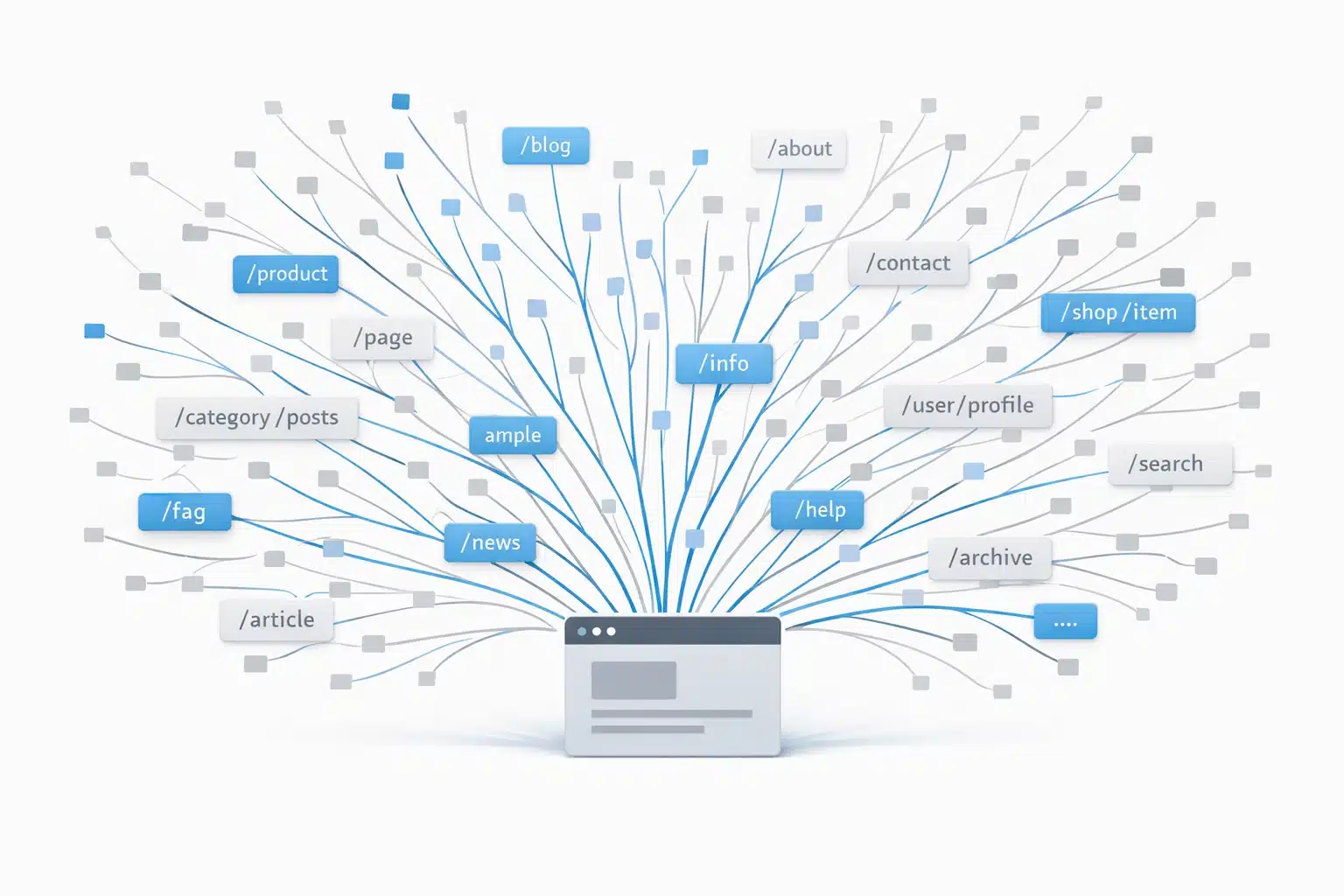
Consider a modest ecommerce site with 1,000 products, five filter types, and ten options per filter. The theoretical number of possible URL combinations? Millions.
Here’s what Google says happens next: crawlers discover these faceted URLs and must access them to determine whether they’re useful. Because they can’t know in advance which combinations contain unique, valuable content, they crawl a massive number of pages before their systems identify them as duplicative or low-value.
This creates two significant problems:
- Overcrawling: Search engines spend enormous resources crawling filter combinations that add no SEO value. Your server handles this load, often for zero benefit.
- Slower Discovery: While crawlers are busy processing your endless filter variations, they have less capacity to discover and index your actually important new content—like new products, updated category pages, or fresh blog posts.
The Hidden SEO Damage
Beyond crawl budget, faceted navigation creates several interconnected issues:
- Duplicate Content: A page showing “red shoes” and another showing “red shoes sorted by price” contain essentially identical content. Google may index hundreds of these near-duplicate variations, diluting your site’s perceived quality.
- Diluted Link Equity: When internal links spread across thousands of filter combinations instead of concentrating on your primary category and product pages, PageRank flows to URLs that shouldn’t even be indexed.
- Index Bloat: Your “most indexed pages” in Google Search Console might actually be endless filter variations rather than the pages you want ranking. This makes your site appear thin or repetitive.
- Conflicting Canonicals: Many sites have inconsistent canonical logic—”red shoes” canonicalizes to “shoes,” but “red shoes size 10” points to itself. These conflicting signals erode Google’s trust in your URL structure.
Google’s Official Best Practices
Google’s updated documentation offers clear guidance. Here’s what they recommend:
If You DON’T Need Faceted URLs Indexed
For most sites, this is the right approach. Google suggests:
1. Block with robots.txt
Allow: /*?products=all$
User-agent: Googlebot
Disallow: /*?*color=
Disallow: /*?*size=
Disallow: /*?*price=
Disallow: /*?*sort=
This prevents crawlers from accessing filtered URLs entirely, saving your server resources and focusing crawl activity on valuable pages.
2. Use URL Fragments Instead of Parameters
Google doesn’t crawl or index URL fragments (the part after #). Instead of parameter-based URLs, use fragments:
This gives users the filtering functionality while keeping your URL structure clean for search engines.
Supporting Methods
Google also mentions these approaches, though they’re less effective long-term than robots.txt or fragments:
- rel=”canonical”: Point filtered pages to their parent category. Over time, this may reduce crawl volume of non-canonical variations.
- rel=”nofollow”: Apply to links pointing to filtered results. However, every link to that URL must have nofollow for this to work—one followed link defeats the purpose.
If You NEED Faceted URLs Indexed
Some filter combinations have genuine SEO value. “Gray t-shirts” as a filter could target a real search query with dedicated intent. If you need certain faceted URLs crawled and indexed:
- Use Standard URL Parameter Separators: Stick with the ampersand (&). Characters like commas, semicolons, or brackets are hard for crawlers to recognize as separators.
- Maintain Consistent Filter Order: If you encode filters in the URL path (like /shoes/red/size-10/), ensure the order never changes.
- Return 404 for Empty or Invalid Combinations: If a filter combination returns no products, serve a proper 404 status code. Don’t redirect to a generic “no results” page.
The AJAX/JavaScript Solution
For sites building new navigation systems, there’s an elegant approach that sidesteps these problems entirely:
Build faceted navigation with JavaScript/AJAX without creating crawlable internal links.
When filters load via JavaScript without <a href> elements, Google never discovers the filtered URLs through crawling. Users get instant, smooth filtering; search engines see only your canonical pages.
If you need bookmarkable filtered URLs, use URL fragments (#) or parameters with proper canonical tags. The key is that these URLs shouldn’t be discoverable through internal links.
Diagnosing Your Site
Before implementing fixes, audit your current situation:
- Site Search Operator: Run site:yoursite.com in Google and look for parameter-heavy URLs. Are you seeing thousands of indexed filter combinations?
- Google Search Console: Check your “Pages” report. Are faceted URLs consuming a disproportionate share of indexed pages?
- Server Logs: Analyze which URLs Googlebot is requesting. If it’s spending time on filter combinations, you’re wasting crawl budget.
- Check for Conflicting Signals: Review your canonical tags. Do filtered URLs all point to logical parent pages?
Quick Implementation Checklist
- Identify which filter types exist on your site
- Determine which (if any) filter combinations have genuine SEO value
- Implement robots.txt rules to block non-valuable filter parameters
- Consider JavaScript-based filtering for new implementations
- Add consistent canonical tags pointing filtered URLs to parent categories
- Ensure 404 responses for empty or invalid filter combinations
- Monitor Search Console for changes in indexed page count
- Review server logs to confirm reduced crawler activity on blocked URLs
The Bottom Line
Faceted navigation is essential for user experience on content-rich sites, but left unchecked, it’s one of the fastest ways to tank your technical SEO. Google themselves call it “by far the most common source of overcrawl issues” they encounter.
The good news? The fixes are straightforward. A well-crafted robots.txt, consistent canonical strategy, and proper HTTP status codes will resolve most issues. For new sites, building filtering with JavaScript eliminates the problem before it starts.
Your crawl budget is finite. Make sure search engines spend it on pages that actually matter.
_______________
Eric Richmond is the founder of Expert SEO Consulting, with nearly 20 years of experience in digital marketing and AI-aware SEO strategies. Need help auditing your site’s technical SEO? Contact us for a consultation.
Sources: